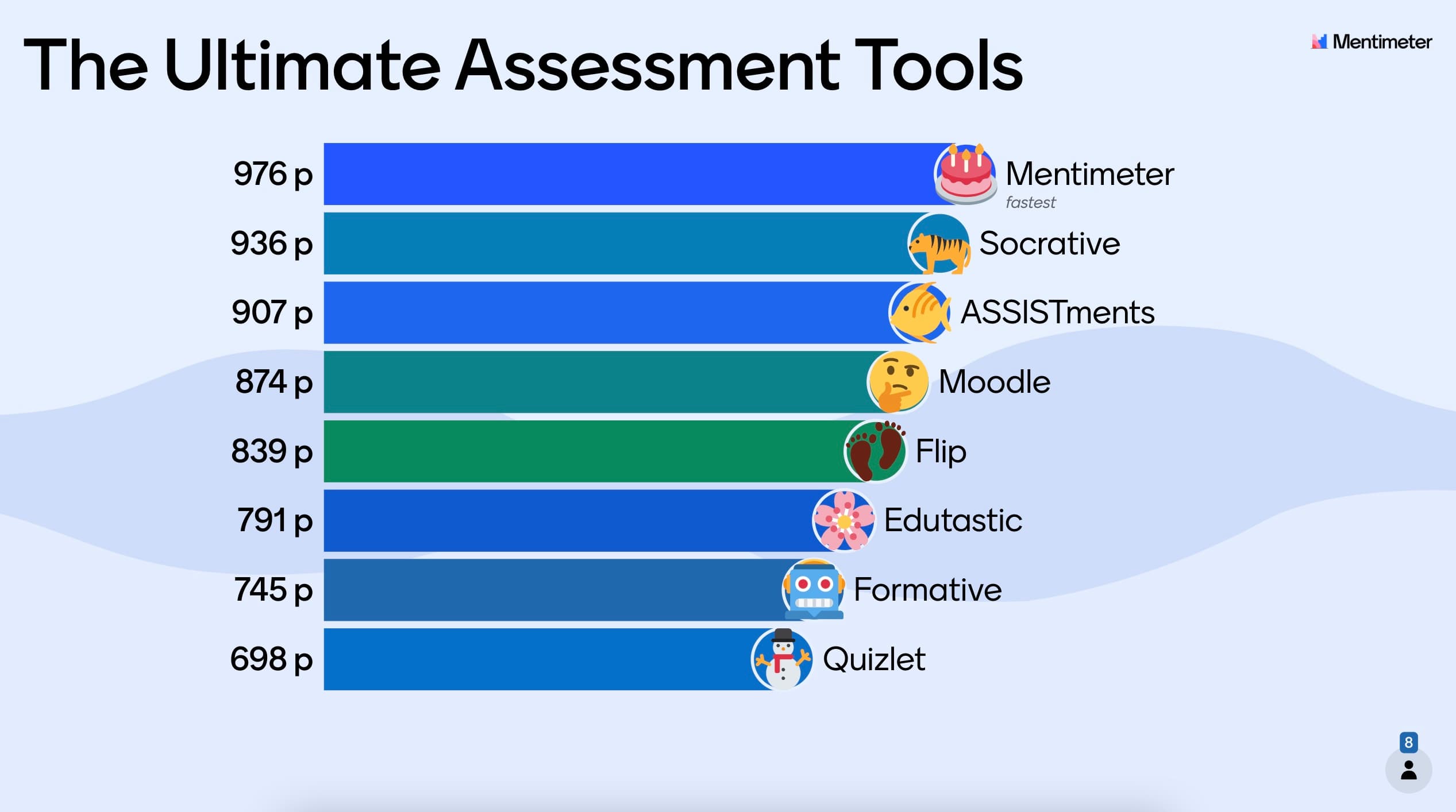

Finding the right teaching strategy for your students can be challenging - we know that understanding exactly where each student stands can be tough, especially when every student has different needs. That’s where digital assessment tools for teachers come in.
The traditional pen-and-paper exam still has its place, but a new wave of educational technology is changing how we measure progress. Let’s look at the best digital assessment tools that can help you lead with curiosity and get everyone in your classroom on the same page.
Table of Contents
- What exactly are assessment tools for teachers?
- How do formative and summative assessments differ?
- Why is tech so vital for formative assessment?
- 8 best assessment tools for teachers
- How do pedagogical frameworks influence student learning?
- Start transforming your classroom today
- Frequently asked questions
What are assessment tools for teachers?
Assessment tools are the resources teachers use to see how students are really doing. They can either be digital or physical, and they help us measure everything from academic progress to how well a student is picking up a new skill. These tools give us the data we need to pivot our teaching in real-time, making sure we’re meeting students exactly where they are.
By bringing these tools into the mix, we can move away from the “dreaded surprise quiz” that’s a classic anxiety-inducer, and toward a classroom built on active participation. Whether you’re looking for a quick resource or a full-scale platform, there are many excellent free online assessment tools for teachers that help ensure every student has the support they need to thrive without stretching the school budget.
What's the difference between formative and summative assessments?
- Formative assessment: A "check-in" while the learning is still happening. These monitor progress and give immediate feedback so students can improve as they go.
- Summative assessment: The "final tally" at the end of a unit to see how much they’ve mastered against a specific standard.
In a modern classroom, we need both formative and summative assessments to see the full picture. Formative tools help us clear up confusion before it turns into a roadblock, while summative tools help us certify that the learning goals have been met. Finding the right balance between the two is the secret to a healthy, happy classroom.
Why is tech so vital for formative assessment?
Technology makes it possible to get feedback in the moment. Instead of waiting until the end of the week to grade papers, digital tools let us see class-wide trends and individual hiccups while the lesson is still fresh. They automate the busy work of grading and give us clear visuals of where students might be getting tripped up.
When we look at pedagogical frameworks like Bloom’s Taxonomy, we can see how technology makes the hard stuff easier. These tools provide the scaffolding students need to move from basic memorization to higher-order thinking, all while keeping things interactive and engaging.
8 best assessment tools for teachers
Choosing the right tool depends on your specific classroom goals. Here’s a detailed look at the top platforms currently helping teachers bridge the gap between instruction and understanding.
1. Mentimeter - for interactive formative assessment
Key function: Interactive polling and quizzes.
Main USP: Turns lectures into two-way conversations with real-time word clouds and leaderboards.
Mentimeter is all about turning a passive lecture into an active conversation. We designed this platform to make quizzes feel like an enjoyable experience rather than a high-stakes test. By using real-time polls, word clouds, and quizzes, you can turn a regular lesson into a bit of friendly, animated competition.
Teachers can set up multiple-choice questions or "type-the-answer" prompts, complete with leaderboards to build a little excitement. Because the focus is on formative assessment, Mentimeter helps you spot misunderstandings the second they happen. It’s less about a final score and more about creating a space where students actually want to show what they know.
2. Socrative - for detailed reports and insights
Key function: Structured formative assessment.
Main USP: A live teacher dashboard that visualizes class-wide and individual progress simultaneously.
Socrative is a fantastic tool for building more structured assessments, like true/false or short-answer questions. It gives you a lot of control over the pace, so students can work through the material at a speed that feels right for them while getting instant feedback.
The best part is the teacher dashboard. As students work, you get a live feed of their progress. You can see individual grades and the class average at the same time, which saves a ton of time on grading and lets you get back to what you do best: teaching.
3. ASSISTments - for math-specific assessments
Key function: Structured formative assessment.
Main USP: A live teacher dashboard that visualizes class-wide and individual progress simultaneously.
Socrative is a fantastic tool for building more structured assessments, like true/false or short-answer questions. It gives you a lot of control over the pace, so students can work through the material at a speed that feels right for them while getting instant feedback.
The best part is the teacher dashboard. As students work, you get a live feed of their progress. You can see individual grades and the class average at the same time, which saves a ton of time on grading and lets you get back to what you do best: teaching.
4. Moodle - for complex assignments and LMS needs
Key function: Comprehensive Learning Management System (LMS).
Main USP: Robust management of complex, long-form assignments and grading workflows.
Moodle is a bit of a legend in the EdTech world. It’s a robust platform designed to handle the big stuff (like essays, video presentations, and semester-long projects). It’s less about quick quizzes and more about managing the whole lifecycle of a student’s work.
Students can upload their files directly, and teachers can grade, comment, and return work all in one place. It keeps everything organized so no papers get lost and no one has to hunt for their grades on a physical bulletin board. Moodle is all about making complex workflows feel simple.
5. Flip - for video-based assessments
Key function: Video-based feedback.
Main USP: Empowers students to demonstrate mastery through verbal communication and digital storytelling.
Flip (which you might remember as Flipgrid) takes a totally different approach by focusing on video. Instead of writing out an answer, students record short clips to explain their thinking or show off what they’ve learned.
This is a great way to help students build confidence and work on their presentation skills. In a world where digital communication is so important, Flip lets you test both a student’s subject knowledge and their ability to express their ideas clearly and creatively.
6. Edulastic - for data-driven instruction
Key function: Standards-based testing.
Main USP: Access to over 3,000 pre-built assessments with deep data analytics.
If you love a good spreadsheet, Edulastic is for you. The platform has a massive library of over 3,000 assessments, but its real strength is the data it provides. It helps you see exactly where students are struggling so you can plan your next lessons with confidence.
By using these insights, you can see what’s working and what isn’t, drawing inspiration from other educators to build better lesson plans in less time. It’s a perfect example of how data can become a roadmap for student success.
7. Formative - for a comprehensive teaching toolkit
Key function: Real-time instructional monitoring.
Main USP: A digital all-in-one-type tool featuring whiteboards, audio responses, and anti-plagiarism tools.
Formative (the platform, not just the concept!) is like a digital Swiss Army knife for teachers. It includes a digital whiteboard and video features alongside its assessment tools. It even has a “copy and paste identifier” to help keep things honest in the age of the internet.
The audio and visual features are a lifesaver for language teachers or anyone testing presentation skills. You can leave personal comments on work just like you would on a paper assignment, keeping that personal connection alive even in a digital space.
8. Quizlet - for assessment preparation
Key function: Assessment preparation.
Main USP: High-engagement study sets and flashcards that bridge the gap between learning and testing.
We usually think of Quizlet as a study tool, but it’s also a huge help for assessment prep. Using flashcards and games, it helps students master the vocabulary and concepts they’ll need before the big test.
Teachers can create their own study sets or use expert-written solutions from popular textbooks. It’s a simple, effective way to make sure students show up to their exams feeling prepared and ready to do their best.
How do pedagogical frameworks influence student learning?
Frameworks are basically the “why” behind the “how”. They provide the structure that helps us design lessons and assessments that actually work. When we align our tools with different teaching frameworks, we ensure our methods lead to better retention and higher achievement.
The 70/30 rule
For example, many modern educators utilize the 70/30 rule to balance classroom dynamics. By dedicating 70% of class time to student-led activities and assessments and 30% to direct instruction, teachers can ensure students are actively applying what they learn.
Using technology to support these frameworks makes the whole classroom more inclusive. Whether you’re teaching kindergarteners or college students, these structures make the learning process transparent and ensure that every quiz, video, or essay has a clear purpose in a student’s growth.
Start transforming your classroom today
Choosing the right assessment tool can completely change the energy of your classroom and help every student feel seen. We encourage you to experiment with the tools on this list to find the perfect fit for your unique teaching style. Whether you want to spark a debate or dive deep into data, there’s a tool out there ready to help you succeed.
Sign up for Mentimeter today to start building interactive lessons that your students will truly love.
Frequently asked questions
What are the four types of assessment tools?
The four main types are formative (ongoing check-ins), summative (final evaluations), diagnostic (spotting strengths and weaknesses before you start), and ipsative (comparing a student’s current work to their own past performance).
What is the most common assessment tool?
Traditional quizzes and tests are still the most common, but digital platforms like Mentimeter and Quizlet are quickly becoming more and more popular. Teachers love these types of tools because they provide instant feedback and engagement that paper tests just can’t match.
How do digital tools improve student learning?
They give students feedback right away, which means they can learn from their mistakes in the moment. They also offer different ways for students to show what they know (like through video or games) which keeps things interesting and caters to different learning styles.
What are some examples of formative assessments?
Think of things like exit tickets, quick polls, "think-pair-share" moments, or a simple thumbs up check. Digital versions, like a Mentimeter word cloud, let you see how the whole class is doing in a single glance.
Can assessment tools be used for professional development?
Absolutely. Assessment tools for teachers and even rubrics are a great way for educators to look back on their own teaching and find ways to improve. Many digital platforms also offer analytics that help you see how effective your lesson plans really are, which is great for your own professional growth.
Create your first Menti for free
Get started

